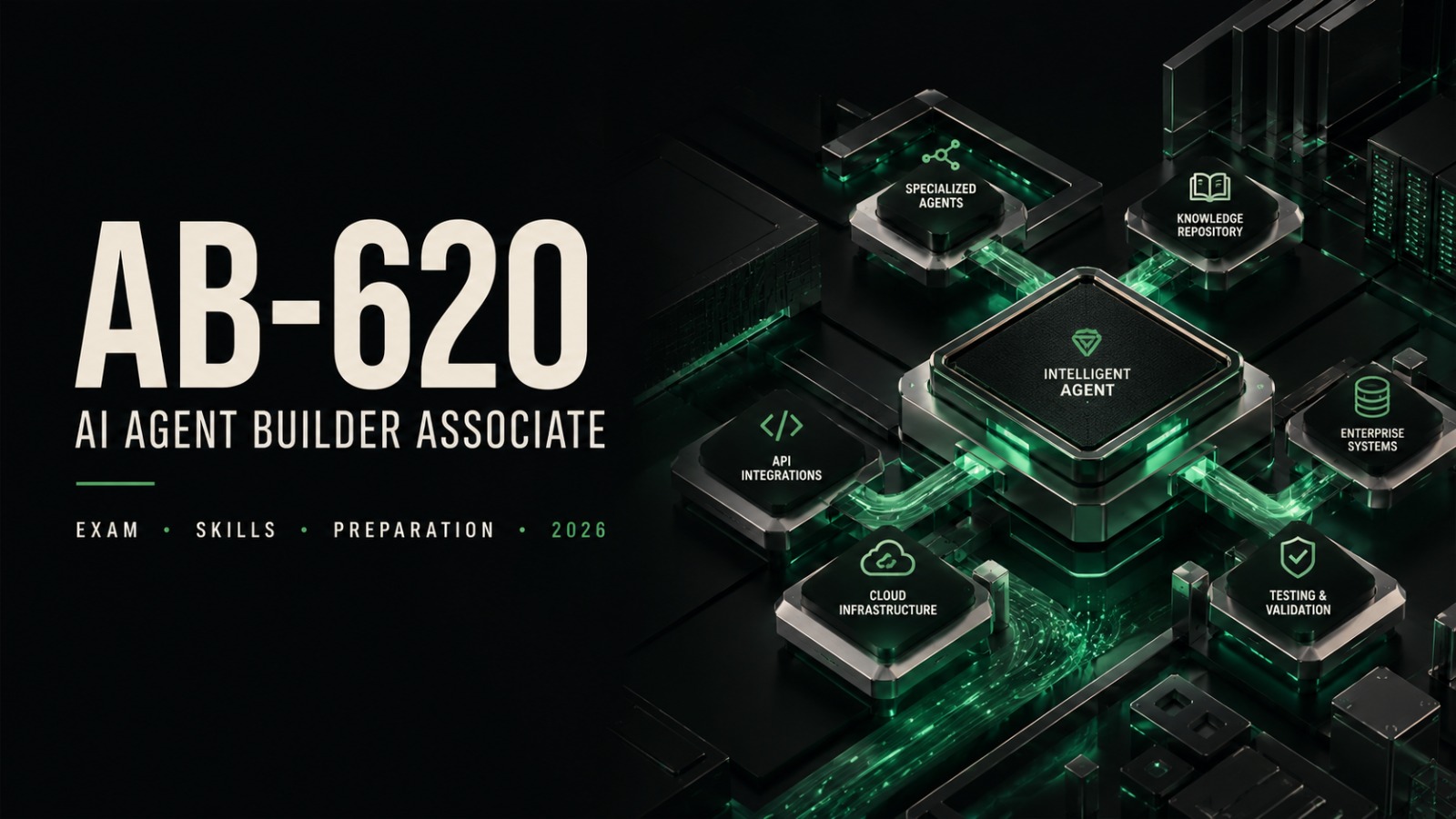

Building and deploying intelligent agents is becoming an increasingly important skill across the Microsoft ecosystem. For professionals working with Microsoft Copilot Studio, Power Platform, Microsoft 365, and enterprise data, Microsoft has introduced a dedicated certification focused on designing, integrating, testing, and managing advanced agent solutions.
The Microsoft AI Agent Builder Associate certification is designed for developers, advanced builders, consultants, and solution professionals who want to demonstrate practical skills in creating enterprise-ready agent solutions. The associated AB-620 exam focuses heavily on Copilot Studio, enterprise integrations, agent flows, knowledge sources, APIs, multi-agent solutions, testing, and lifecycle management.
This AB-620 exam guide explains the certification, exam structure, skills measured, recommended preparation approach, and the type of practical knowledge candidates should develop before sitting the exam.
What Is the Microsoft AI Agent Builder Associate Certification?
The Microsoft AI Agent Builder Associate is an intermediate-level Microsoft certification for professionals who design, build, extend, and integrate custom agents using Microsoft technologies.
The certification is particularly relevant to professionals working with:
- Microsoft Copilot Studio
- Microsoft Power Platform
- Microsoft 365
- Microsoft Foundry
- Microsoft Dataverse
- Power Fx
- Enterprise connectors
- REST APIs
- Azure AI Search
- Microsoft Fabric
Microsoft describes the target candidate as a professional developer or advanced builder who creates scalable solutions for organizations and customers. Candidates are expected to understand how agents interact with enterprise systems and how to configure knowledge sources, instructions, tools, topics, and integrations.
The certification is therefore more practical than a basic conceptual credential. Candidates should be comfortable working with the Microsoft ecosystem and understanding how different components fit together in an enterprise environment.
Who Should Consider the Microsoft AI Agent Builder Associate Certification?
The certification is primarily aimed at people who already have some practical development or solution-building experience.
Typical candidates may include:
- Application developers
- Power Platform developers
- Copilot Studio developers
- Advanced app makers
- Technical consultants
- Solution developers
- ISV developers
- Professionals responsible for enterprise Copilot Studio implementations
Microsoft describes the expected candidate as a professional developer or advanced builder who develops, extends, and integrates custom agents for organizational solutions. Candidates are expected to understand technologies such as Power Fx, Dataverse, Power Platform environments, Microsoft 365 Copilot, Microsoft Foundry, adaptive cards, REST APIs, and common integration patterns.
AB-620 is therefore not intended as a first introduction to Microsoft cloud technologies. Some familiarity with the Microsoft ecosystem will make preparation considerably easier.
Microsoft AI Agent Builder AB-620 Exam Overview
The AB-620 exam is officially titled Designing and Building Integrated AI Agent Solutions in Copilot Studio.
Microsoft currently gives candidates 120 minutes to complete the assessment. The exam is proctored and may include interactive components in addition to standard exam question formats. Microsoft also states that a score of 700 or higher is required to pass its certification exam.
The exam evaluates three broad skill areas:
- Plan and configure agent solutions
- Integrate and extend agents in Copilot Studio
- Test and manage agents
Understanding how these domains are weighted can help candidates create a more focused AB-620 exam preparation plan.
AB-620 Exam Skills and Weighting
Understanding the exam objectives should be the starting point of your AB-620 exam preparation.
The exam evaluates three major areas:
- Plan and configure agent solutions (30–35%)
- Integrate and extend agents in Copilot Studio (40–45%)
- Test and manage agents (20–25%)
For the latest exam objectives and updates, candidates should review the official AB-620 study guide on Microsoft Learn.
Plan and Configure Agent Solutions (30–35%)
Approximately one-third of the exam focuses on planning and configuring solutions.
This domain covers decisions that should be made before and during implementation.
Candidates should understand how to:
- Plan integration with enterprise systems
- Select an appropriate identity strategy
- Plan channels and deployment
- Address responsible design requirements
- Evaluate security and governance considerations
- Design reusable agent components
- Design solutions for internal or external audiences
The domain also includes agent flows and topics.
Candidates should be comfortable creating flows, configuring actions and connectors, adding input and output parameters, implementing error handling, and monitoring flows.
Topic configuration is another important area. This can include:
- Adding flows to topics
- Managing variables
- Formatting responses
- Adding tools
- Using custom prompts
- Connecting knowledge sources
- Sending HTTP requests
- Configuring generative answers
- Working with adaptive cards
Microsoft currently assigns this domain 30–35% of the AB-620 exam.
Integrate and Extend Agents in Copilot Studio (40–45%)
This is the largest exam domain, accounting for approximately 40–45% of the assessment.
Candidates should therefore give integration topics significant attention during their AB-620 exam preparation.
One major area is connecting agents with enterprise knowledge.
This can involve:
- Copilot connectors
- Power Platform connectors
- Azure AI Search
- Organizational data sources
Another important area involves tools.
Candidates should understand how tools expand what an agent can do and how different integration approaches should be selected for different requirements.
Topics include:
- Model Context Protocol tools
- Existing custom connectors
- REST APIs
- Computer-use capabilities
Multi-Agent Solutions
AB-620 also introduces candidates to scenarios in which multiple specialized agents cooperate rather than relying on one agent for every responsibility.
Candidates should understand how to:
- Design multi-agent solutions
- Integrate Microsoft Foundry agents
- Connect existing Copilot Studio agents
- Integrate Fabric data agents
- Use Agent2Agent protocol concepts
For example, a company could create one agent for customer requests, another for inventory information, and another for order processing. Instead of duplicating every capability in one large solution, the agents can perform specialized responsibilities while working together.
This type of architectural understanding is important for AB-620.
Azure Integration
Candidates should also understand how Copilot Studio solutions can work with Azure services.
The published exam objectives include:
- Using Azure AI Search
- Working with the Foundry model catalog
- Integrating Foundry agents
- Monitoring agents with Application Insights
The exam is therefore not limited to building inside the Copilot Studio interface.
Candidates need to understand how Copilot Studio fits into a broader enterprise architecture.
Test and Manage Agents (20–25%)
Creating a functional solution is only one part of the process.
The final major exam domain focuses on evaluation and lifecycle management and represents approximately 20–25% of the exam.
Candidates should know how to evaluate agent performance by:
- Creating test sets
- Selecting appropriate evaluation methods
- Reviewing test results
- Identifying areas requiring improvement
Testing should not be treated as something performed only after development is finished.
For example, imagine an employee-support agent that answers questions from internal documentation. A useful test set could contain common HR questions, unusual wording, incomplete questions, and requests for information the user should not be allowed to access.
The objective is to determine whether the solution produces useful and appropriate results across realistic scenarios.
Application Lifecycle Management in AB-620
Application lifecycle management, commonly called ALM, is another important AB-620 topic.
Candidates should understand how to:
- Create solutions
- Add existing agents to solutions
- Configure environment variables
- Work with Microsoft Power Platform Pipelines
- Move solutions between environments
This knowledge becomes particularly important when moving from development to testing and finally to production.
For example, an agent may connect to a test API while being developed but require a different API endpoint after deployment. Environment variables allow configuration to change between environments without redesigning the entire solution.
Understanding these practical deployment patterns can help candidates answer scenario-based questions more confidently.
Technologies to Study for the AB-620 Exam
A strong AB-620 exam guide should extend beyond Copilot Studio alone.
Candidates should develop working familiarity with several related technologies.
Microsoft Copilot Studio
This is the central platform for the certification.
Focus on:
- Agents
- Topics
- Tools
- Knowledge sources
- Connectors
- Variables
- Flows
- Testing
- Publishing
- Multi-agent configurations
Microsoft Dataverse
Understand how Dataverse stores and manages business information and how solutions can interact with Dataverse environments.
Power Fx
Candidates should understand basic Power Fx concepts because expressions may be used when configuring application logic and data operations.
REST APIs
REST API knowledge is particularly valuable for integration questions.
Be comfortable with concepts such as:
- HTTP methods
- Request and response structures
- Authentication
- Headers
- JSON payloads
- Error responses
Model Context Protocol
Candidates should understand the purpose of Model Context Protocol and how MCP-compatible tools can extend an agent’s capabilities.
Azure AI Search
Study how enterprise information can be indexed, searched, and used as a knowledge source.
Microsoft Foundry
Candidates should understand how Foundry services and agents can be integrated with Copilot Studio.
Application Insights
Know why monitoring matters and how Application Insights can provide information about the behavior and performance of deployed solutions.
How to Prepare for the AB-620 Exam
Successful AB-620 exam preparation should combine conceptual study with practical experience.
Looking for additional AB-620 exam preparation? Candidates who want structured preparation can also explore CertsGate’s AB-620 exam preparation resources for additional practice and study support.
1. Start With the Exam Objectives
Begin by dividing preparation according to the official skill areas:
- Plan and configure agent solutions
- Integrate and extend agents
- Test and manage agents
Because integration represents 40–45% of the exam, it deserves the largest share of study time.
2. Build Solutions in Copilot Studio
Reading documentation alone may not be enough.
Create sample agents and practice:
- Building topics
- Adding tools
- Creating flows
- Connecting knowledge
- Calling APIs
- Configuring variables
- Handling errors
- Testing responses
Hands-on experience makes scenario questions easier because candidates understand why one configuration is more appropriate than another.
3. Practice Enterprise Integration
Try building a solution that connects to more than one system.
For example, create an agent that:
- Receives a user request.
- Retrieves information from a knowledge source.
- Calls an external API.
- Presents structured information to the user.
- Handles an API failure correctly.
Exercises like this combine several AB-620 objectives in one practical scenario.
4. Study Security and Identity
Do not focus exclusively on functionality.
Review:
- Authentication
- Authorization
- User identity
- Data access
- Environment security
- Governance
- Internal versus external agent access
Microsoft includes identity, security, governance, and responsible design directly within the planning objectives.
5. Learn Testing and ALM
Practice moving a solution between environments and using environment-specific configuration.
Also create test scenarios instead of testing only with random questions.
You should understand both how to build an agent and how to manage it after development.
Common AB-620 Exam Preparation Mistakes
Several mistakes can make preparation less effective.
Studying Only Copilot Studio Basics
Basic agent creation is useful, but AB-620 goes further into integration, APIs, multi-agent solutions, enterprise knowledge, monitoring, and lifecycle management.
Ignoring REST APIs
Candidates without an application-development background may underestimate API-related topics.
Spend time understanding how services exchange data and how authentication and errors are handled.
Memorizing Without Practicing
Many exam objectives describe practical implementation decisions.
Instead of memorizing where a setting appears, understand what problem that setting solves.
Neglecting Integration Topics
Integration and extension represent the largest percentage of the exam.
A study plan that spends most of its time on introductory topics may leave major knowledge gaps.
Ignoring Testing and Deployment
Testing, solutions, environment variables, and pipelines may appear less exciting than building features, but they represent a substantial portion of the assessment.
A Practical AB-620 Study Plan
A structured preparation schedule could look like this:
Week 1: Copilot Studio Fundamentals
Review:
- Agent configuration
- Topics
- Variables
- Knowledge
- Tools
- Adaptive cards
Build at least one complete sample solution.
Week 2: Enterprise Integration
Focus on:
- Connectors
- REST APIs
- Azure AI Search
- MCP
- Microsoft Foundry
- Enterprise knowledge sources
Create practical integration exercises.
Week 3: Advanced Architecture
Study:
- Multi-agent solutions
- Agent collaboration
- Identity
- Security
- Governance
- Deployment planning
Practice architecture scenarios rather than only platform configuration.
Week 4: Testing and Lifecycle Management
Review:
- Test sets
- Evaluation methods
- Solutions
- Environment variables
- Power Platform Pipelines
- Monitoring
Finish by revisiting weaker exam objectives.
The ideal preparation period will vary depending on existing Microsoft Power Platform and Copilot Studio experience.
Is Microsoft AI Agent Builder Associate Worth Pursuing in 2026?
The value of a certification depends on your career direction and existing skills.
AB-620 can be particularly relevant if your work involves Microsoft Copilot Studio and enterprise agent solutions. The certification aligns with several Microsoft technologies, including Power Platform, Microsoft 365, Microsoft Foundry, and Azure-related services.
It may be a logical choice for professionals who want to demonstrate practical knowledge of building and integrating agent-based solutions within Microsoft’s ecosystem.
However, certification alone should not replace practical experience. A stronger profile combines the credential with the ability to design, configure, test, troubleshoot, and manage real solutions.
AB-620 vs. Basic Copilot Studio Knowledge
There is an important difference between knowing how to create a basic agent and being prepared for AB-620.
Basic knowledge might include:
- Creating an agent
- Adding instructions
- Adding simple knowledge
- Creating topics
- Testing conversations
AB-620 goes considerably further.
Candidates are expected to understand:
- Enterprise integrations
- Advanced tools
- APIs
- Connectors
- Multi-agent solutions
- Microsoft Foundry
- Fabric data agents
- MCP
- A2A
- Testing
- Monitoring
- Security
- Governance
- ALM
This broader scope is one reason practical preparation is important.
Final Thoughts
The Microsoft AI Agent Builder AB-620 certification reflects a shift from simple agent creation toward complete enterprise solution development.
Candidates are expected to understand not only how to configure agents in Microsoft Copilot Studio but also how to integrate them with APIs, enterprise knowledge, Azure services, Microsoft Foundry, connectors, and other agents.
The strongest AB-620 exam preparation approach combines structured study with practical implementation. Spend the most time on integration and extension, while still developing a solid understanding of solution planning, identity, security, testing, monitoring, and lifecycle management.
For developers and advanced solution builders working within Microsoft’s ecosystem, the Microsoft AI Agent Builder Associate certification provides a focused path for validating these skills.
Frequently Asked Questions
What is the Microsoft AI Agent Builder AB-620 exam?
AB-620 is the certification exam for Microsoft Certified: AI Agent Builder Associate. It focuses on designing, integrating, testing, and managing advanced agent solutions using Microsoft Copilot Studio and related Microsoft technologies.
How difficult is the AB-620 exam?
AB-620 is classified by Microsoft as an intermediate-level certification. Candidates are expected to have practical experience with Copilot Studio as well as familiarity with APIs, Power Platform, Dataverse, Microsoft Foundry, and enterprise integration concepts.
What score do you need to pass AB-620?
Microsoft’s AB-620 study guide states that candidates need a score of 700 or greater to pass the certification exam.
How long is the AB-620 exam?
Microsoft currently provides 120 minutes to complete the AB-620 assessment. The exam is proctored and may contain interactive components.
What is the best way to prepare for Microsoft AI Agent Builder AB-620?
The most effective approach is to combine study of the official exam objectives with hands-on Copilot Studio experience. Candidates should focus especially on enterprise integrations, APIs, connectors, multi-agent solutions, identity, security, testing, monitoring, and application lifecycle management.